Marketing and communications
Make each student’s experience with your institution memorable both online and in person to increase their likelihood of making your school their first choice.
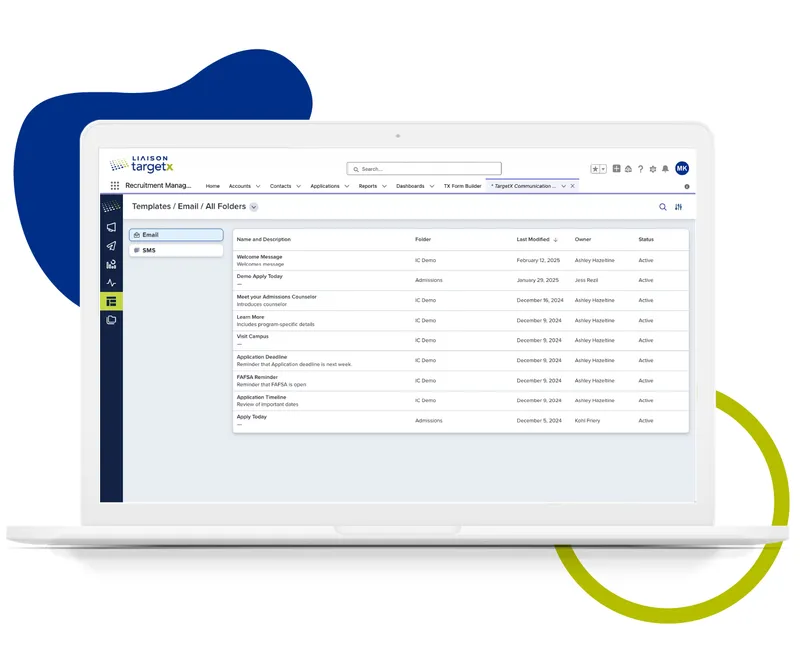

Make each student’s experience with your institution memorable both online and in person to increase their likelihood of making your school their first choice.
I cannot give enough kudos to our Premier Services team. They were fundamental to not only configuring our system but also guiding us on best practices and helping us better understand the industry.

Associate Director for Salesforce Administration & Enrollment Communications
TargetX Engage facilitates the management of "walk-in" meetings at different locations across campus. Administrators can configure meeting rooms along with available damation messages and view their place on the waiting list. Advisors can easily manage their Engage meetings, take notes, and maintain a history of student meetings.
TargetX Engage has the following features:
- The Advisor Center (available via the Engage tab) displays the Rooms available for advising meetings. From here, you log in to view/edit Room Settings, add students to the queue, or view the current waiting list.
- Multiple Engage rooms can be created for different meeting reasons and used simultaneously depending on your business needs. For example, you might have a room for the Registrar's Office, with reasons like "Add/Drop classes" or "Change Major," and another room for Career Development with reasons like "Resume Review" or "Practice Interview." You can also define Hours of
Operation and specific locations for each room.
- The Check-in window is used to check in students, allowing the selection of an advisor and a reason for the meeting.
- The Kiosk/Waiting list is displayed in your reception area/waiting room so students can see their placement in the queue. When an advisor has "picked up" a meeting, the student's listing will display as "Ready." Once a session is started, the student is removed from the waiting list.
- The Advisor Room Queue is what advisors see when they log in to a specific room. From this view, they can add students, prioritize the list, and "pick up" their next meeting.
- Administrators can also set up an Engage site to facilitate an online appointment scheduling queue that allows students to sign up for Engage appointments from home unauthenticated.
- Review the Engage Staff Experience video and Engage Student Experience video to learn how to utilize the tool for both your staff and students.
- Advisors can add multiple students to an Engage meeting to create and manage group sessions.
TX Forms are browser-based, mobile-responsive forms built and managed inside TargetX. Each form is tied to Salesforce objects like Leads, Contacts, or Events, making it easy to route data to the right records automatically.
Key Features:
- Drag-and-Drop Form Builder: Easily design forms without the need for any coding skills.
- Custom Field Mapping: Seamlessly integrate form fields with Salesforce for smooth data synchronization.
- Conditional Questions: Intelligently display or hide questions based on user responses.
- Editable Picklist Values: Customize or remove picklist options to meet your specific requirements.
- Conditional Picklist Values with Option Groups: Present only relevant picklist options based on defined criteria.
- True/False Questions: Streamline forms and ensure consistent data collection.
- Repeatable Sections: Enable users to input multiple sets of similar data within a single form.
- Display Text: Offer useful instructions or additional context within the form.
- Clone Existing Forms: Save time by duplicating and modifying previously created forms.
- Uploads – Allow users upload documents and files directly through the form.
- reCAPTCHA Support – Safeguard your forms against spam and automated submissions.
Use a TX Form when you need:
- A custom form hosted on your site or shared via a link.
- Seamless integration allowing data to flow directly into Salesforce.
- Flexible control over field visibility, defaults, or validations.
- The capability to monitor user interaction and engagement using hidden fields or campaign IDs.
Use Cases Include:
- Event Registration.
- General inquiry form.
- Interest-specific opt-in.
- Collecting information for applications, essays or related records.
From the moment you partner with us, Liaison Services will be with you each step of the way. Whether it’s through the implementation, training, continued support, or our managed services, you will engage with our team on a regular basis. Our focus is on empowering your team to succeed because your success is our priority.
Liaison is more than a solutions provider; we’re a partner for your success. We know that choosing a CRM solution is just the first step toward achieving your goals. Implementation Services is dedicated to ensuring that you and your team successfully achieve your recruitment and retention targets through our CRM solutions. We will challenge you to consider your business processes and whether they are operating as efficiently and effectively as possible. We will consult with you to ensure that the system is configured to meet your needs.
Attract your ideal students and streamline the admissions process with our mobile-first applications, personalized student portal, and custom communication tools.
Build strong relationships through tailored outreach and provide students with a seamless experience from inquiry to enrollment.
Make informed decisions with powerful analytics that provide insights across recruitment, admissions, and student engagement.